A Nama J2 juicer does not turn on when the safety lock system detects improper assembly. The motor will not start unless the juicing chamber aligns correctly with the motor base and the hopper lid fully closes and locks. Reassemble the unit securely to restore power.
Check the Basics First
Before diving into more complex troubleshooting steps, let’s focus on the most basic causes for a Nama J2 juicer not turning on. Often, the solution lies in simple checks that take just minutes to complete.
Is the juicer plugged in properly?
While this might seem obvious, improper connection is frequently the culprit. Firstly, ensure you’ve inserted the power cord correctly into the back of the base before connecting it to your power outlet. The connection should feel firm and secure on both ends.
Once plugged in, you should hear a slight clicking sound when turning on your Nama J2 juicer – this is completely normal and indicates the internal components are engaging properly. If you don’t hear this sound, double-check both connections.
Moreover, examine the power cord itself for any visible damage, fraying, or bent prongs that might prevent proper electrical flow. Sometimes the issue isn’t with the juicer but with a damaged cord that needs replacement.
Try a different outlet or power strip
Electrical outlets can fail without showing obvious signs. Subsequently, if your Nama juicer won’t turn on, try plugging it into a different outlet to rule out outlet-specific problems. This simple test often resolves what appears to be a juicer malfunction.
Power strips and surge protectors can also cause issues, especially older ones with worn-out components. Plugging your Nama J2 directly into a wall outlet eliminates this variable from your troubleshooting process.
For those using kitchen counters with GFCI (Ground Fault Circuit Interrupter) outlets, check if the outlet itself needs resetting. These safety outlets occasionally trip and cut power without being obvious.
Press the reset button on the base
Your Nama juicer features a reset button that serves as a safety mechanism to protect the motor. This button may have been triggered if:
- The juicer overheated during previous use
- There was a power surge
- The motor encountered resistance from too much produce
To reset, locate the button on the base of your juicer. Press it firmly until you feel it click. Certainly, this simple step resolves many instances when your Nama J2 juicer isn’t turning on.
Remember that the Nama J2 also features a safety switch mechanism that must be properly engaged before the juicer will operate. Hence, even with proper power connection and pressing the reset button, your juicer still requires correct assembly to function – a topic we’ll explore in depth in the next section.
Assembly Issues That Stop the Juicer
Incorrect assembly is the primary reason your Nama J2 juicer might not be turning on, even with proper power connection. The juicer features a sophisticated safety mechanism that prevents operation unless everything is perfectly aligned.
How to put Nama juicer together correctly
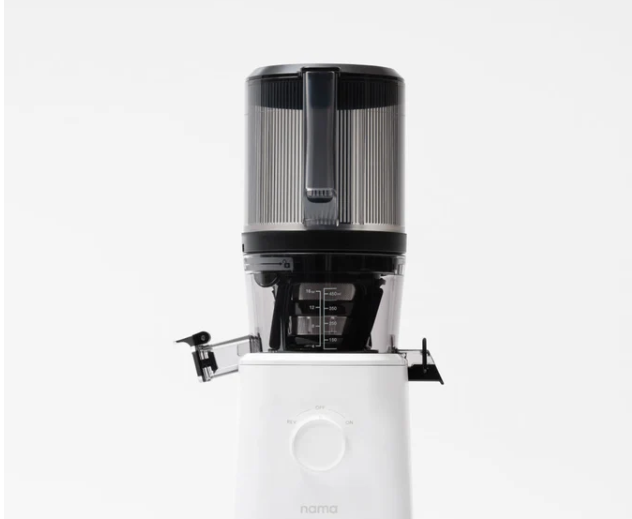
The secret to proper assembly lies in the sequence. Always assemble the chamber set completely before placing it on the motor base. Start by inserting the strainer into the spinning brush, then insert the auger into the strainer. Next, place the assembled strainer set into the chamber, aligning the two wings (one large, one small) with corresponding cutouts in the chamber. Finally, add the hopper to complete the assembly. Attempting to build the juicer while it’s on the motor base will prevent it from operating.
Why the safety switch matters
The safety switch is a crucial component designed to protect both you and the machine. This switch must be triggered for the juicer to turn on. It serves as a failsafe, ensuring the machine won’t operate unless properly assembled. Furthermore, the switch prevents accidents by stopping the juicer if any components become disconnected during operation.
Common misalignment mistakes
Even slight misalignment between components will prevent your juicer from running. Pay careful attention to the wings on the strainer – they must match precisely with the chamber cutouts. Similarly, the auger should sit flush with the top of the strainer. Although the marks on the juicer help guide correct placement, many users still struggle with proper alignment initially.
Check if the hopper is locked in place
The hopper must be securely locked for operation. Place it onto the chamber by aligning the guide mark with the unlock symbol, then rotate clockwise until it aligns with the lock symbol. Additionally, ensure the hopper lid is completely closed – the juicer won’t start otherwise. Upon correct assembly, you should hear a clicking sound indicating the components are properly engaged. If your hopper becomes stuck, try toggling the pulp lever and using the reverse function for 20 seconds to release built-up pressure.
Cleaning and Maintenance Problems
Maintenance issues often prevent the Nama J2 juicer from turning on even when everything else seems correct. Proper cleaning is essential for keeping your machine running smoothly and efficiently.
Why leftover pulp can block operation
Leftover pulp accumulation is frequently the hidden culprit behind operational problems. Though some pulp under the auger and in the pulp chute is completely normal, excessive buildup can interfere with the juicer’s functionality. Fibrous produce like celery is particularly problematic, as its stringy fibers tend to clog the pulp exit more easily. Consequently, this buildup can prevent proper alignment of components and trigger the safety mechanism that stops the juicer from turning on.
How to clean the Nama J2 after each use
Cleaning your Nama J2 immediately after juicing prevents residue buildup:
- Hand wash each component right away using warm water
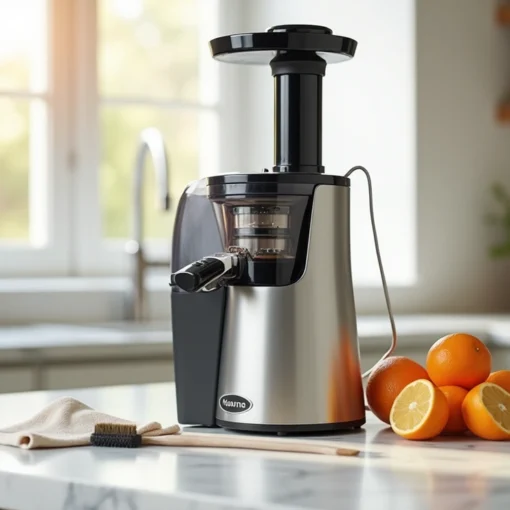
- Use the included dual-ended cleaning brush to remove pulp from hard-to-reach areas
- Open the pulp outlet loop to clean inside thoroughly
- Remove silicone parts occasionally (pulp outlet gasket, juice cap stopper, spinning brush blades, and chamber gasket) for more thorough cleaning
- Dry each component completely before reassembling
A quick cleaning routine typically takes just a few minutes yet makes a significant difference in maintaining optimal juicer performance.
Signs your juicer needs a deep clean
Beyond routine cleaning, your Nama J2 occasionally needs more intensive attention. Watch for these indicators:
Visible pulp residue and staining on components is the most obvious sign. Additionally, slower performance, strange noises during operation, or a fermenting odor all indicate a deep clean is necessary.
For deep cleaning, soak components overnight in warm water with 100g each of baking soda and citric acid (1:1 ratio). Alternatively, a 50/50 water-vinegar solution effectively removes stubborn odors. Remember to always dry components completely after cleaning to prevent water damage and mineral buildup.
Other Nama Juicer Problems to Consider
Beyond power connections and assembly issues, your Nama J2 juicer might experience other performance problems worth addressing. Let’s examine these additional concerns that could impact your juicing experience.
Unusual noises during operation
Squeaking or clicking sounds from your Nama J2 don’t necessarily mean it’s broken. Nevertheless, certain noises warrant attention. A clicking sound typically indicates the gears on the auger might be affected by pulp getting stuck, causing grinding against internal components. Meanwhile, a squeaking noise often coincides with juicing harder produce or can happen right after washing when moisture remains.
Some users report squeaking even with soft fruits, which Nama support sometimes explains as normal operational sound. Fortunately, a properly functioning J2 should run nearly silently—quiet enough to use at 1 AM without disturbing neighbors.
Produce size and juicing efficiency
Cutting produce into appropriate sizes directly affects your juicer’s performance. Indeed, when chunks of produce remain unjuiced, it’s typically because they’re too large for the machine to process efficiently.
For optimal juicing results, cut harder vegetables and fruits into smaller pieces. This prevents strain on the motor and reduces the risk of leftover unchewed produce chunks in your pulp outlet.
When to contact Nama support
Reach out to Nama support whenever persistent issues continue after trying basic troubleshooting. Their customer service team can help diagnose problems through video evidence—email them showing the issue. Nama’s warranty service is reportedly responsive, addressing mechanical problems that home solutions can’t fix.
If your juicer makes persistent unusual noises or fails to turn on despite proper assembly and cleaning, professional assistance becomes necessary. Keep your purchase information handy when contacting support.
Conclusion
Troubleshooting your Nama J2 juicer typically requires just a few minutes of careful attention to detail. Most problems stem from simple issues like improper assembly or power connection rather than actual mechanical failures. Therefore, checking the basics first—proper plugging, testing different outlets, and pressing the reset button—can save you considerable time and frustration.
Additionally, correct assembly proves crucial for operation because of the built-in safety mechanisms. The sequence matters significantly when putting components together, especially ensuring the hopper locks completely and wings align properly with chamber cutouts. Many users miss these small details that prevent their juicers from starting.
Regular cleaning after each use stands equally important for maintaining optimal performance. Leftover pulp buildup not only affects juice quality but can actually stop your machine from turning on altogether. A quick cleaning routine takes just minutes but makes all the difference for your juicer’s longevity.